

For program owners
Claim & manage your program
Claiming your program lets you keep its listing accurate and see how it performs in the directory — views, clicks, favorites, and conversion rate. Here's how, in seven steps.
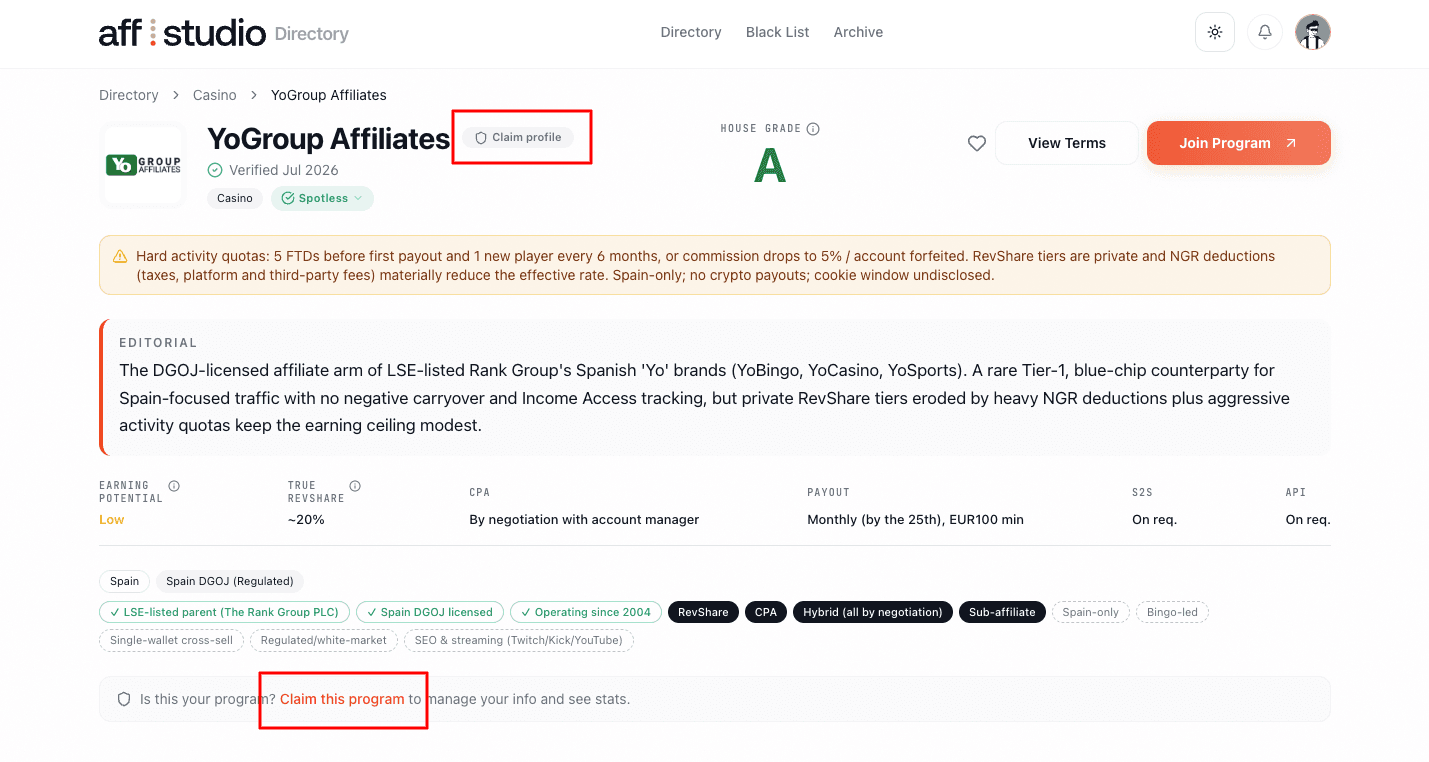
Find your program and click “Claim this program”
Open your program’s page in the directory. Just below the header you’ll see the “Is this your program?” banner — click “Claim this program” to begin. If you’re not signed in yet, you’ll be prompted to sign in or create a free account first.
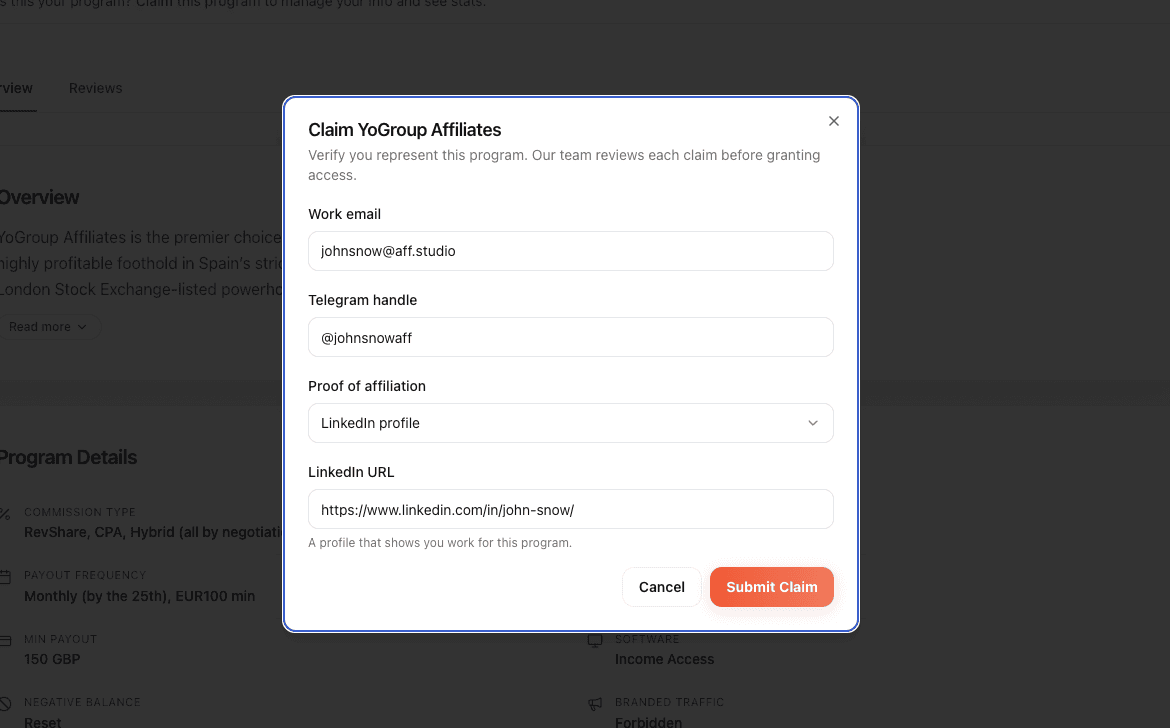
Submit your claim
Fill in the short claim form: your work email, your Telegram handle, and proof that you represent the program — either a LinkedIn profile URL or an uploaded screenshot (for example an internal dashboard or a work email). Click “Submit Claim” when you’re done.
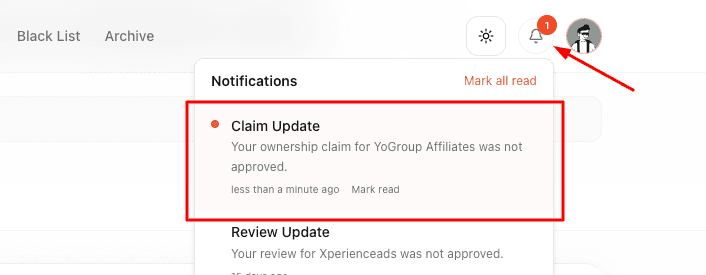
Wait for review
Our team reviews every claim before granting access, so ownership can’t be spoofed. You’ll get a notification (the bell in the top bar) once your claim is approved or declined. If it’s declined, reach out in our support Telegram chat and we’ll help sort it out.
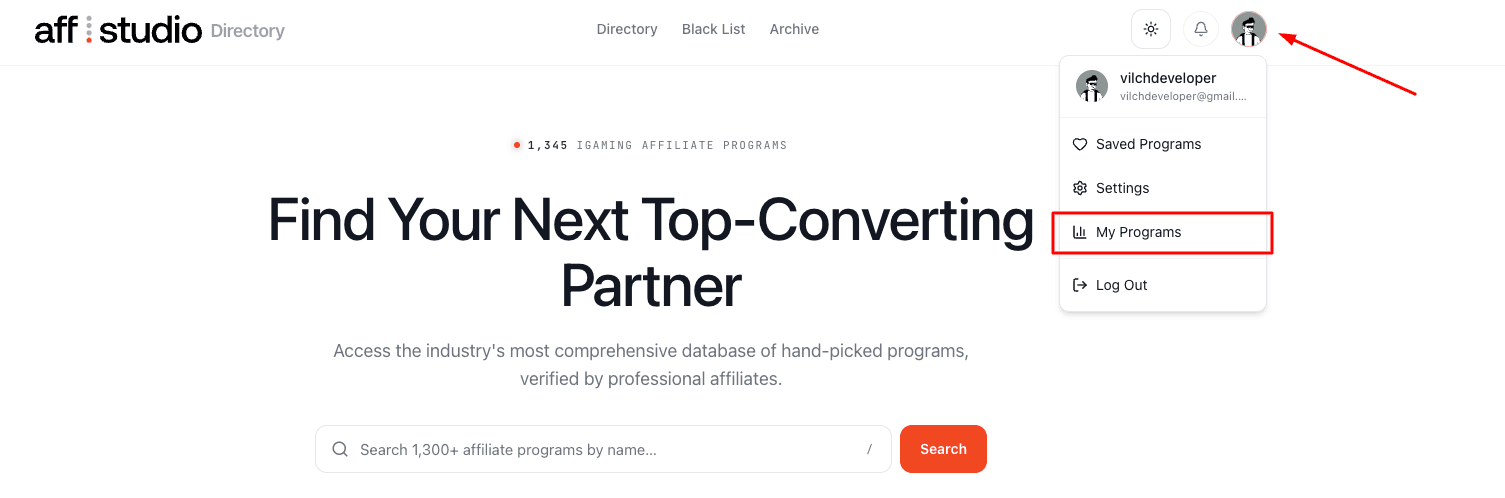
Open “My Programs”
Once your claim is approved, click your avatar in the top-right corner and choose “My Programs” from the menu.
Select your program
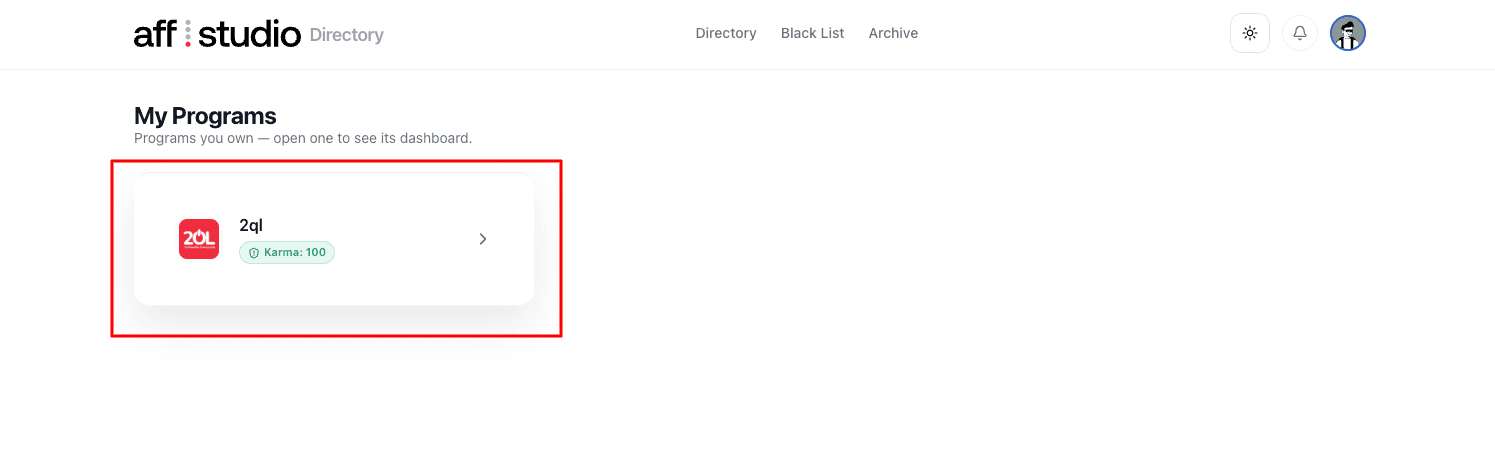
“My Programs” lists every program you own. Click a program to open its Owner Dashboard.
Review your dashboard, then click “Edit Program”
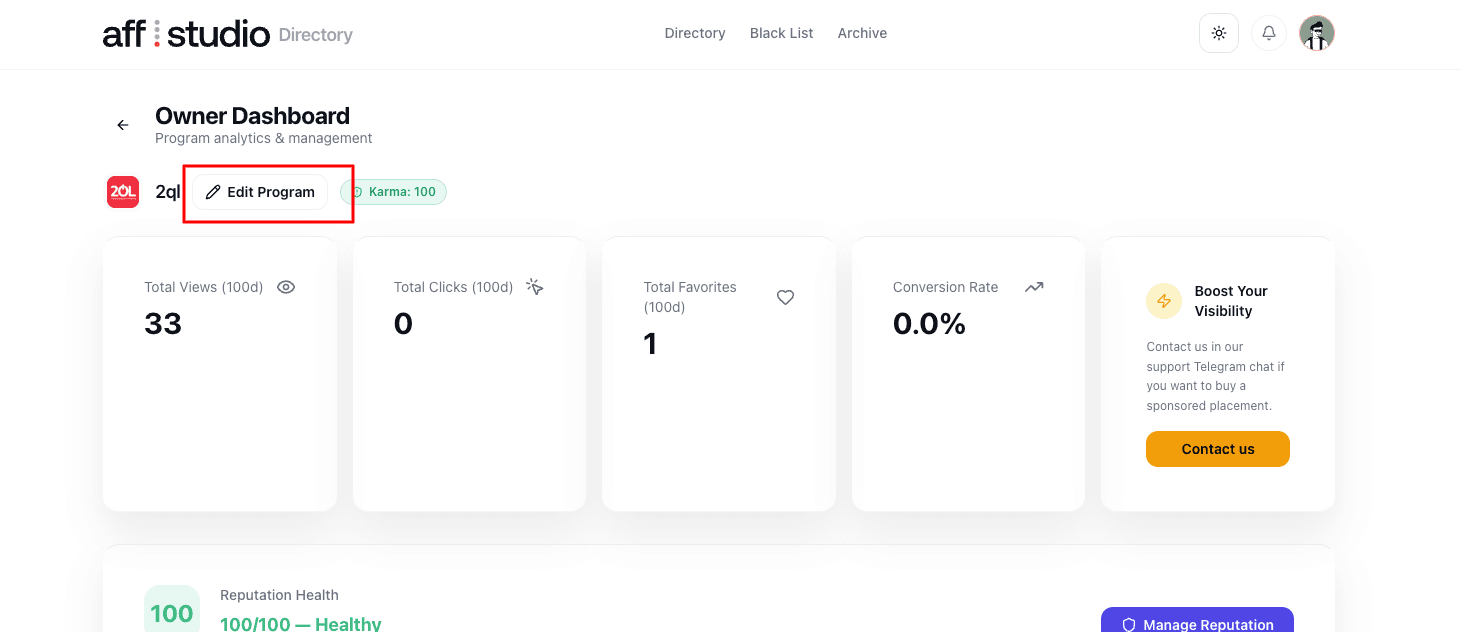
The Owner Dashboard shows your program’s performance — views, clicks, favorites, conversion rate, and reputation health. To update your listing, click “Edit Program”.
Update your details and save
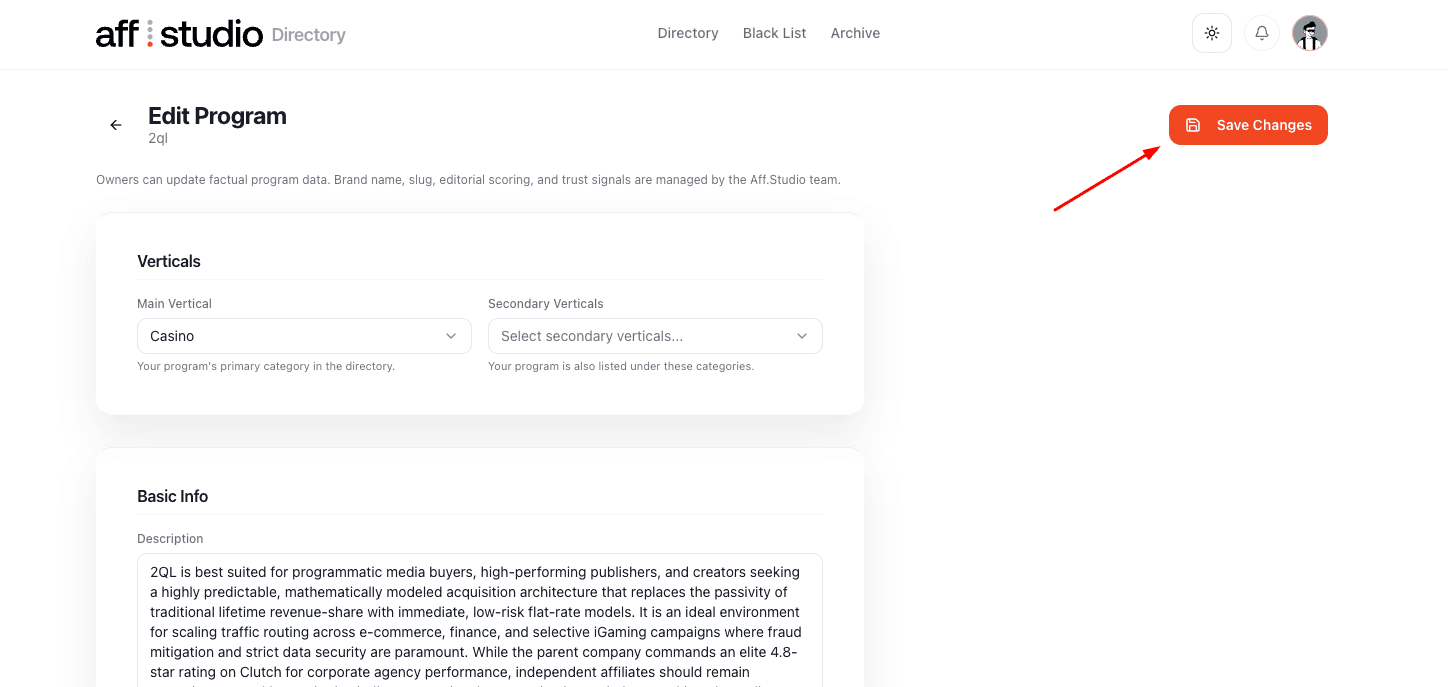
On the Edit Program page you can update factual program data — verticals, description, payout terms and more. Make your changes and click “Save Changes”. Brand name, slug, editorial scoring, and trust signals are managed by the Aff.Studio team.
Need a hand?
If your claim is taking a while or you’re not sure which account to use, reach out in our support Telegram chat and we’ll get you set up.